


- New
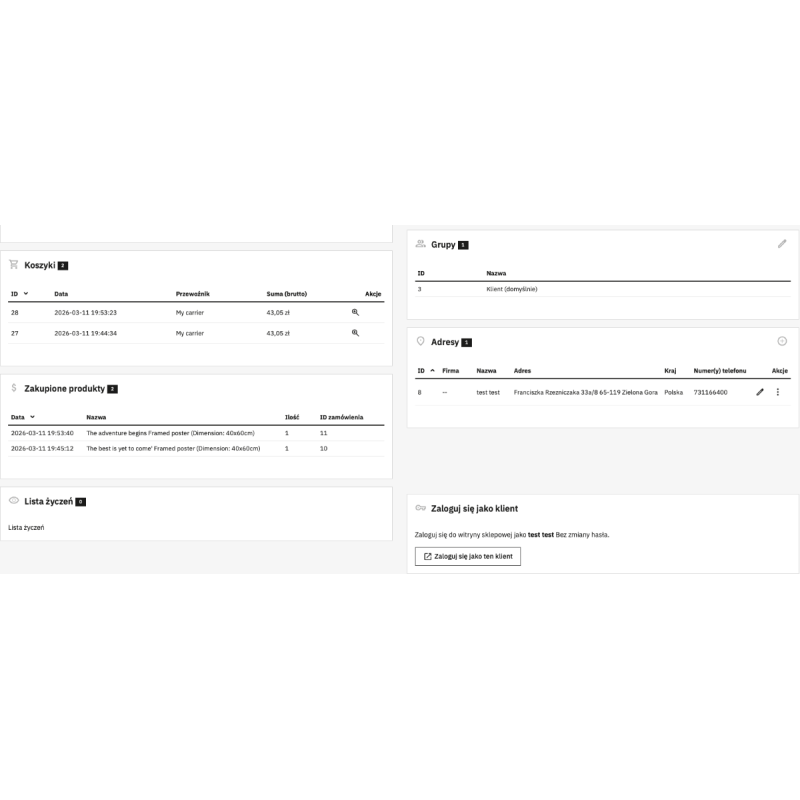
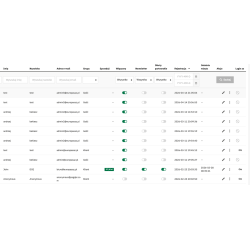
The module allows the service to log in as a customer from the back office. This allows you to assist in the order process, solve customer problems and possibly diagnose errors. All this without knowing the customer's password and without changing the customer's password.
Read more navigate_next
19.08 tax excl.

Full compatibility with PS 9.x
 Updates
Updates for 2 years from the date of purchase.
 Payments
Blik, Cards, PayPal, Transfer to the account. Implemented by: Imoje, FirstData, PayPal.
 Demo
Demo
Test before buying. Write to us for a temporary license for the module. Required Ioncube.
How to log in as a customer in PrestaShop without knowing their password?
The Log in as a customer module allows the admin or customer service employee to go to the account of the selected customer directly from the PrestaShop admin panel.
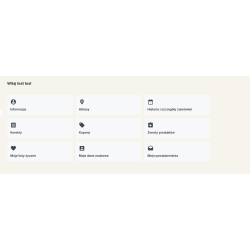
The employee does not need to know or change the customer's password. After using the login function, a customer session is launched in the store, so you can check their account, orders, shopping cart, discounts, vouchers and other items available to a given user.
The administrator selects a customer in the PrestaShop administration panel and uses the "Login as" button. The module creates a user session on the front of the store and allows you to see the store from the perspective of the selected customer.
The customer password is not displayed, retrieved, or changed when you use the login feature.
The module is especially useful during telephone contact, chat or e-mail. The service employee can independently check the customer's account and help them solve the problem.
Instead of asking the customer to send screenshots or performing multiple diagnostic steps, the employee can check the issue directly in the customer's account.
Logging in as a customer allows you to check the elements of the store visible to a specific user. This is especially useful for problems related to the basket, prices, discounts and access to order history.
The module integrates with the list of customers in the PrestaShop administration panel and adds a dedicated "Login as" action to it.
Thanks to this, the employee can go to the account of the selected customer without opening additional forms and without manually searching for his data.
The login function is also available in the details of the selected customer. So the administrator can start the client's session directly from his card in the admin panel.
This is a convenient solution when handling a specific request, when the employee already has customer data open.
The module can significantly facilitate the work of the customer service department and PrestaShop store administrators.
The login function applies to registered customers who have an account in the store. Accounts created only as guest orders cannot be used to log in as a customer.
If the store uses the PrestaShop function that allows you to convert a guest account into a customer account, after creating the appropriate customer account, it is possible to use the login function.
The login function is available from the PrestaShop administration panel. The mechanism uses tokens generated by the PrestaShop system, and access to functions can be restricted by means of user permissions of the administration panel.
The client password remains unchanged and is not required to start the client session.
Access to functions can be controlled using the PrestaShop user permissions system. This allows the administrator to decide which employees have the option to use the login function as a customer.
The dedicated module controller is registered as a hidden tab, so the function does not have to be visible as a separate item in the admin panel menu.
The Login as a Customer module is particularly useful in online stores where employees regularly help customers with their account and orders.
It will work especially well in stores that:
The module requires PrestaShop version 1.7.0 or later and access to the administration panel.
The appropriate back office user permissions are required to use the feature.
Yes. The module allows the administrator or authorized employee to start a session of the selected customer without knowing and changing his password.
No. Using the "Sign in as a customer" feature does not require changing the customer password.
Yes. After the start of the session, the employee can use the store from the perspective of the selected customer.
Yes. The function can be used, among other things, to check prices, discounts, promotional codes and vouchers available for a given customer.
No. The login function applies to registered customer accounts. The guest order does not have a customer account to log in to.
Yes. Access can be controlled using the PrestaShop admin panel's user permissions system.
No. The employee does not need to know or change the customer's password to start a session on their account.

You might also like
The module allows the service to log in as a customer from the back office. This allows you to assist in the order process, solve customer problems and possibly diagnose errors. All this without knowing the customer's password and without changing the customer's password.