





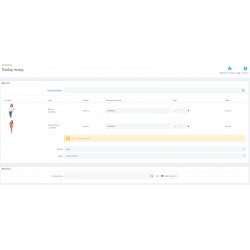

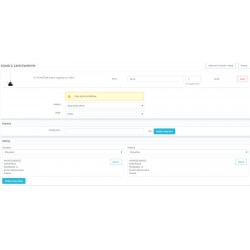
Order copying module designed for PrestaShop. Using the button in the order list, you can copy a previously placed order to a new window, which allows you to edit it and create a new order. This option is particularly useful when handling telephone orders or when the store owner wants to edit an order.
Read more navigate_next
80.49 tax excl.

Full compatibility with PS 9.x
 Updates
 for 2 years from the date of purchase.
 Payments
Blik, Cards, PayPal, Transfer to the account. Implemented by: Imoje, FirstData, PayPal.
 Demo
Test before buying. Write to us for a temporary license for the module. Required Ioncube.
The Copy Orders module for PrestaShop allows you to quickly create a new order based on an existing customer order. Customer data and the entire shopping cart are copied automatically, so that the store staff does not have to re-enter all the information manually.
After copying the order, all data can be freely edited before creating a new order. You can change the products, quantities and other information, adapting the new order to the current arrangements with the customer.
The module is especially useful when the customer wants to reorder the products in the previous order. Instead of creating an order from the beginning, the store employee can use the existing data and prepare a new order in a much shorter time.
Copying includes customer data and the entire shopping cart. After you create a copy, you can make any changes before saving a new order.
The module copies the products in the original order along with the information needed to prepare a new basket. You don't have to manually search for each product and add it again.
Before creating an order, you can change the contents of the cart, delete products, add new items or change their quantity.
Copied data is not blocked. The module allows you to prepare a new order based on the previous one, and then modify it according to the current customer order.
This is a convenient solution, among other things, when handling orders placed by phone, repeat purchases and situations in which the customer wants to repeat an earlier order with minor changes.
Copying orders allows you to reduce the number of manual activities performed by store employees. Instead of re-entering customer data and completing the basket, the staff can start working with the finished order.
The module will work especially well in stores where customers often place repeating orders or contact the store staff to prepare another order.
It can also be useful for telephone orders, B2B sales and in situations where a new order is very similar to one of the previous ones.
The biggest advantage of the module is to reduce the work associated with creating an order again. Data that is already in the store can be reused instead of being entered from the beginning.
Copying PrestaShop orders is a simple tool for stores that want to speed up the preparation of subsequent orders and facilitate the daily work of customer service.
The module is available in variants adapted to different PrestaShop order interfaces. After purchase, use the appropriate installation file according to the version of the store environment.
Detailed installation instructions can be found in the documentation attached to the module.

Order copying module designed for PrestaShop. Using the button in the order list, you can copy a previously placed order to a new window, which allows you to edit it and create a new order. This option is particularly useful when handling telephone orders or when the store owner wants to edit an order.