



GTM Manager for PrestaShop – automatic integration with Google Tag Manager and ready-made e-commerce events without manual code deployment. Support for Google Analytics 4, Google Ads, OpenAI Measurement Pixel, OpenAI Conversions API and optional GTM Server-Side. The module automatically transmits data about products, baskets and orders and allows you to diagnose and resend data.
Read more navigate_next
243.09 tax excl.

Full compatibility with PS 9.x
 Updates
Updates for 2 years from the date of purchase.
 Payments
Blik, Cards, PayPal, Transfer to the account. Implemented by: Imoje, FirstData, PayPal.
 Demo
Demo
Test before buying. Write to us for a temporary license for the module. Required Ioncube.
GTM Manager for PrestaShop is a comprehensive module for automating e-commerce tracking, customer behavior measurement and conversion tracking in an online store. The module integrates PrestaShop with Google Tag Manager and automatically generates e-commerce data without the need to manually create events or modify your store template code.
The module also supports OpenAI Measurement Pixel, OpenAI Conversions API and optional Google Tag Manager Server-Side. Each integration works independently, allowing you to enable only the features you need.
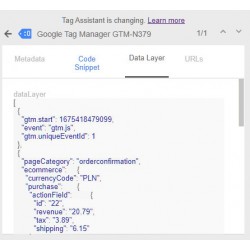
After configuration, the module automatically sends information about the most important customer activities to the data layer. You do not need to manually create individual e-commerce events in Google Tag Manager.
The events can contain product, variant, cart and order information, making it possible to build a complete shopping funnel and analyze the effectiveness of advertising campaigns.
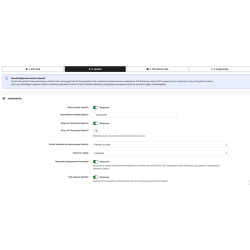
Basic GTM configuration is simple. Create a Web container in Google Tag Manager, copy its container ID and enter it in the module configuration.
The module automatically loads the GTM Web container and generates e-commerce data. You do not need to modify template files every time you want to expand your analytics or add another marketing integration.
The data transferred through GTM can be used with Google Analytics 4, Google Ads, remarketing and other analytics and marketing tools.
GTM Manager also supports OpenAI Measurement. The module can automatically generate and send events required to measure customer activity and conversions.
Supported events include:
For orders, the OpenAI Pixel and Conversions API can use the same persistent event_id, helping maintain consistent conversion measurement across the available channels.
The module can also send order data using OpenAI Conversions API. Server-side transmission can be triggered after the order reaches a selected status.
The API key is stored on the server and is not exposed in the browser code.
The optional Enhanced conversion matching feature allows supported matching data to be transmitted in the format required by the integration. Email address, phone number, customer ID and name are transmitted as SHA-256 hashes, while location data is sent in the required format.
Use of features requiring consent depends on the store's consent configuration and privacy policy.
The module can work with Cookiebot as the consent provider. This allows marketing events to be sent only when the required user consent has been granted.
After selecting Cookiebot in the module configuration, the marketing consent status is taken into account when sending OpenAI data. Events blocked before consent is granted are not sent retroactively.
The module does not install or configure the Cookiebot banner. Configuration of the consent system, cookie declaration and privacy policy remains the responsibility of the store owner.
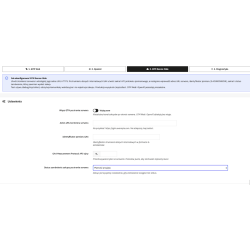
GTM Manager can be extended with an independent integration with Google Tag Manager Server-Side. This feature is optional and is not required for GTM Web or OpenAI Measurement to work.
Once configured, the module can send a purchase event to the server-side container using the GA4 Measurement Protocol.
The event may contain, among other things:
The order status that triggers the sGTM transmission can be selected in the module configuration.
Server-Side GTM is optional. If you do not use your own server-side container, you can leave this feature disabled and continue using GTM Web and OpenAI independently.
The module includes tools that make integration setup and troubleshooting easier.
Available features include:
Technical diagnostics are stored for the last 7 days and are automatically removed after this period.
The module does not store API secrets or complete personal data in its diagnostic logs.
In case of network problems or 5xx server responses, the module can automatically retry sending the data.
Up to three attempts are made during a single execution. Additional attempts can be performed through the PrestaShop cron mechanism, up to a maximum of nine attempts in total.
4xx responses are not automatically retried.
GTM Manager uses its own hooks, making it possible to integrate the module with custom solutions used in the store.
This is particularly useful for:
This allows the module to be used even in stores where the standard PrestaShop purchasing process has been extensively modified.
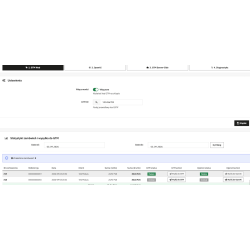
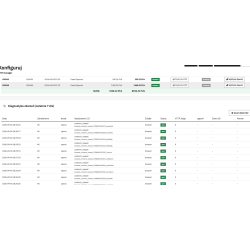
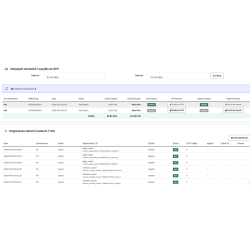
The module includes an administration panel for working with order data.
The resubmission function is useful when testing the configuration or diagnosing conversion tracking problems.
The module supports PrestaShop Multistore. Integration settings can be stored independently for each store.
This allows different stores within the same PrestaShop installation to use their own GTM identifiers, OpenAI configuration and Server-Side GTM settings.
The module is designed primarily for store owners, agencies and professionals responsible for analytics, advertising and sales measurement in PrestaShop.
It is particularly useful for stores using Google Analytics 4, Google Ads, Google Tag Manager, remarketing or more advanced conversion tracking for advertising campaigns.
The main advantage of the module is automation. Instead of manually adding events to your template, creating custom data transmission mechanisms and configuring each measurement channel separately, you can manage the available integrations from one module.
GTM Manager creates a measurement layer for your PrestaShop store that can be used with Google Tag Manager, Google Analytics 4, Google Ads and OpenAI Measurement.
Basic GTM Web configuration requires only the Google Tag Manager container ID.
OpenAI integration requires a Measurement Pixel ID and, when using Conversions API, the appropriate API key.
Optional Server-Side GTM integration requires your own server-side container, an HTTPS container address and Measurement Protocol credentials.
A detailed configuration guide is included with the module.
GTM Manager for PrestaShop provides a complete measurement layer for your online store without requiring you to manually implement every event separately. GTM Web, automatic e-commerce events, OpenAI Measurement, Conversions API and optional Server-Side GTM allow you to adapt tracking to the needs of your store and advertising campaigns.

You might also like
GTM Manager for PrestaShop – automatic integration with Google Tag Manager and ready-made e-commerce events without manual code deployment. Support for Google Analytics 4, Google Ads, OpenAI Measurement Pixel, OpenAI Conversions API and optional GTM Server-Side. The module automatically transmits data about products, baskets and orders and allows you to diagnose and resend data.