

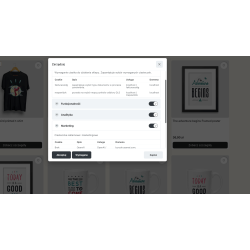
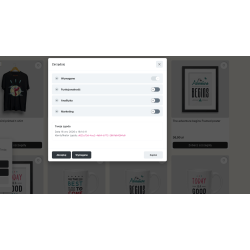
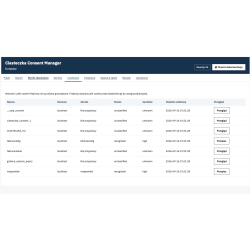
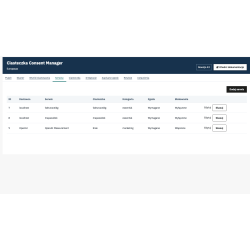
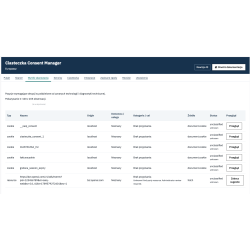
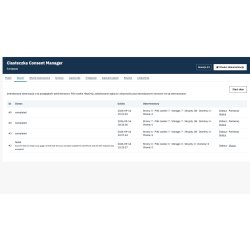
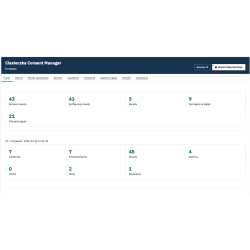
Consent Manager - professional consent management module for PrestaShop without subscription. Scanning cookies, localStorage, sessionStorage, scripts, resources, external connections and iframes. Automatic detection of services and suppliers and their assignment to the categories: Essential, Functionality, Analytics and Marketing. Blocking scripts and iframes until the required permission is obtained. Support for Google Consent Mode v2 and integration with Google, Meta, TikTok, Microsoft Advertising, Pinterest, LinkedIn and OpenAI. Scan and change history, consent registration, Multistore support and full configuration by the administrator. Compatibility with PrestaShop from 1.7.x
Read more navigate_next
161.79 tax excl.

Full compatibility with PS 9.x
 Updates
Updates for 2 years from the date of purchase.
 Payments
Blik, Cards, PayPal, Transfer to the account. Implemented by: Imoje, FirstData, PayPal.
 Demo
Demo
Test before buying. Write to us for a temporary license for the module. Required Ioncube.
Consent Manager is a professional module for managing user consents in PrestaShop 1.7, 8 and 9 stores. The module allows you to detect technologies used by the store, manage consents for their use, block selected scripts and iframes before obtaining consent and transfer information about consents to external systems.
One-time purchase of the module - without a monthly subscription.
The module was designed as an independent consent management system. It does not replace Google Tag Manager or analytical and advertising systems. Its task is to control consents and launch services according to the administrator's configuration.
Scanning store technology
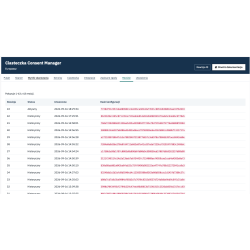
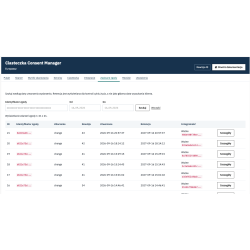
The administrator can start a store scan directly from the administration panel. The store opens in a new browser window, and the administrator can normally browse pages, open products, categories, shopping cart, forms and other store items. During active scanning, the module observes the technologies used and saves the results.
The scanner detects, among other things:
Scanning runs only at the request of the administrator. After the scan is complete, the observation is stopped and the results are recorded in the history. The module does not work in the background as an automatic crawler and does not scan the store during regular customer visits.
Detecting services and suppliers
The module analyzes the collected data and can assign detected technologies to specific services and providers based on domains, cookie names, script sources, URLs, iframe domains and other patterns.
For example, services such as Google Analytics, Google Tag Manager, Meta, TikTok or OpenAI can be detected and assigned.
Unknown technologies may be marked as requiring manual analysis. The module does not automatically assume that an unknown technology is necessary or that it should be blocked.
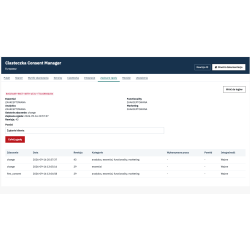
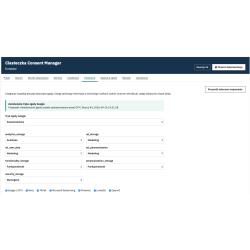
Four categories of consents
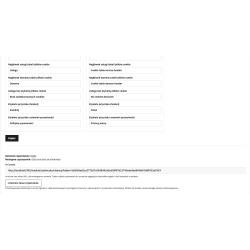
The administrator can independently determine the category and mode of operation of individual services.
Script and iframe blocking
The module can block configured technologies until the appropriate consent is obtained. Among other things, blocking of JavaScript scripts, external resources and iframes is supported.
iframe support includes, among other things:
The lock mechanism also supports elements that are added dynamically after the page is loaded.
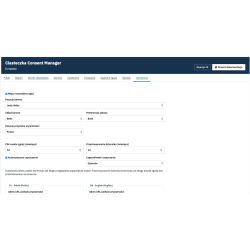
Full control of the administrator
The module does not automatically assume that all external technologies should be blocked. It is the store administrator who determines what services are used, what category they belong to, whether they require consent and when they can be launched.
CookieConsent

You might also like
Consent Manager - professional consent management module for PrestaShop without subscription. Scanning cookies, localStorage, sessionStorage, scripts, resources, external connections and iframes. Automatic detection of services and suppliers and their assignment to the categories: Essential, Functionality, Analytics and Marketing. Blocking scripts and iframes until the required permission is obtained. Support for Google Consent Mode v2 and integration with Google, Meta, TikTok, Microsoft Advertising, Pinterest, LinkedIn and OpenAI. Scan and change history, consent registration, Multistore support and full configuration by the administrator. Compatibility with PrestaShop from 1.7.x