


- New


A plugin that introduces the true rules of the omnibus directive for WooCommerce. The price memory from the selected date range allows you to meet the legal requirements of the Omnibus directive. In addition, the plugin supports global promotions and allows you to manage them from a single tab. Cron tasks monitor both price scanning and promotions, which can be set from - to.
Read more navigate_next
38.35 tax excl.

Full compatibility with PS 9.x
 Updates
Updates for 2 years from the date of purchase.
 Payments
Blik, Cards, PayPal, Transfer to the account. Implemented by: Imoje, FirstData, PayPal.
 Demo
Demo
Test before buying. Write to us for a temporary license for the module. Required Ioncube.
How to display the lowest price of a product in the last 30 days in WooCommerce?
Price History & Omnibus is a plugin for WooCommerce that automatically saves the price history of products and shows customers information about the lowest price for a specific period, including the default price from the last 30 days.
The solution was prepared for online stores that run promotions and want to automatically present customers with the information required when communicating price reductions.
The plugin automatically monitors the prices of products and variants and saves their changes in a dedicated database table.
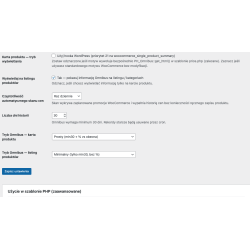
Price history is created automatically using the cron task. The administrator can specify the frequency of price checks - daily, twice a day or once a week.
Thanks to this, you do not have to manually save previous product prices or create additional sheets with the history of promotions.
When presenting a discount, the plug-in may display information about the lowest product price in the last 30 days.
Information can be presented on the product card and on the product listing, so that the customer can see the previous lowest price directly when shopping.
Example: "The lowest price of 30 days: PLN 199.50".
In the case of products with variants, each variant may have its own pricing history. The plugin takes these differences into account and dynamically updates the price information after selecting a specific variant.
Thanks to this, the customer receives information corresponding to the selected combination of product variants.
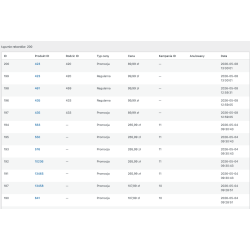
The plugin saves subsequent changes in product prices along with an accurate time stamp. This allows you to keep the history of price changes regardless of whether the product was manually edited in the WooCommerce panel.
Both regular prices and promotional prices are supported.
Price History & Omnibus also detects planned price changes and WooCommerce promotions. Thanks to this, the price history can also be kept in the case of promotions set in advance.
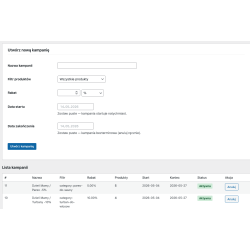
The plugin also includes a promotional campaign module that allows you to prepare promotions for more products without having to edit each product separately.
The campaign can be used to:
For the campaign, you can set a percentage or quota discount and specify the start and end date of the promotion.
Scheduled campaigns are handled automatically by the cron task. After the campaign starts, product prices are updated according to the settings, and after the promotion ends, the campaign is closed without the need to manually operate each product.
Campain information is stored in the database, which allows you to keep a history of price changes.
The plugin provides separate administrative sections that allow you to manage price history, promotional campaigns and module settings.
The administrator can check the saved price data for the selected product.
It is possible to create, view and cancel promotional campaigns.
In the settings, you can configure, among other things, the scope of stored price history, the frequency of scanning products, the way Omnibus information is displayed, and integration with the store theme.
Information about the lowest price can be displayed automatically in certain places of the store. There is also a shortcode [ph_omnibus], which allows you to manually place the price information in the selected location of the page or template.
The biggest advantage of the plug-in is automation. The administrator does not have to keep a separate list of product prices or remember what price was in force before the start of the promotion.
The plugin systematically saves price information and uses the accumulated history to present the lowest price in the selected period.
Price History & Omnibus will work especially well in online stores that regularly organize promotions and price reductions.
The plugin will be useful in stores that:
Yes. The plugin automatically monitors product prices and saves their changes in a dedicated database table.
Yes. The default Omnibus information range is 30 days and can be configured in the plugin settings.
Yes. Individual variants may have their own price history, and price information is updated after choosing a variant.
Yes. The campaign can be limited to, among other things, a selected category, tag, attribute or brand.
Yes. Campaigns can have a specific date range, and their startup and termination are handled automatically by the cron task.
Yes. Shortcode [ph_omnibus] is available for manual pricing information.

You might also like
A plugin that introduces the true rules of the omnibus directive for WooCommerce. The price memory from the selected date range allows you to meet the legal requirements of the Omnibus directive. In addition, the plugin supports global promotions and allows you to manage them from a single tab. Cron tasks monitor both price scanning and promotions, which can be set from - to.