

Google Merchant API module for WooCommerce. Automatic product synchronization with Google Shopping, inventory management, cron job, administration panel for managing all synchronization parameters. API users must switch to Merchant API.
Read more navigate_next
243.09 tax excl.
How to connect WooCommerce with Google Merchant Center and automatically synchronize your products?
The Google Merchant API module integrates your WooCommerce store with Google Merchant Center and automates the process of sending product data to Google Shopping.
Products, prices, promotions, images and stock availability can be synchronized without manually preparing and uploading XML files. The module also supports variable products, making it suitable for stores with large and complex product catalogs.
The module synchronizes products from WooCommerce with Google Merchant Center. Depending on the configuration, synchronization may include:
Changes made in the store can then be automatically transferred to Google according to the configured synchronization schedule.
Traditional WooCommerce integration with Google Merchant Center often requires preparing a product feed and periodically updating it.
Google Merchant API allows product data to be sent directly through the API. This makes it possible to automate synchronization and reduce the amount of manual work required from the store administrator.
The module synchronizes product availability and pricing information. Supported availability statuses include:
Synchronization also includes regular and sale prices.
The module supports products with variations such as color, size, material or other attributes.
Variations are properly grouped in Google using item_group_id. Each variation can be submitted to Google with its own SKU, price, availability and image.
This makes the solution suitable for stores with large numbers of variable products.
When a WooCommerce product has an active sale price, the module can send both the regular and sale price to Google, together with information about the promotion end date.
This helps maintain consistent pricing information between your WooCommerce store and the data submitted to Google Merchant Center.
Synchronization can be launched automatically using a Cron job. Available schedules include:
Products waiting for synchronization are processed according to the configured schedule.
The module includes an AJAX Batch Sync mechanism that divides large synchronization operations into smaller batches.
This makes it possible to synchronize hundreds or thousands of products without relying on a single large operation that could exceed browser execution limits.
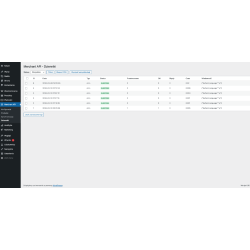
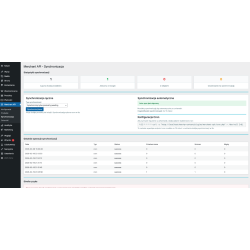
The synchronization panel displays the progress of the operation, processed products and errors. Interrupted operations can be resumed.
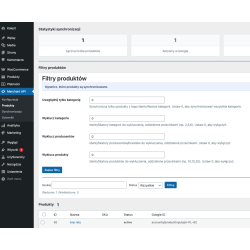
Not every product in your store has to be synchronized with Google Merchant Center. The module allows you to limit synchronization to selected products or product groups.
Products can be filtered by:
Individual products can also be excluded from synchronization directly from the product editing screen.
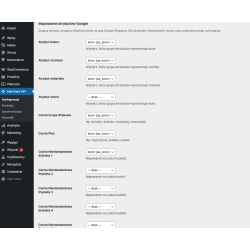
The module allows WooCommerce product data to be mapped to fields used by Google Merchant Center.
Supported data includes:
The module supports Custom Label 0–4, which can be used to add additional product classifications in Google Merchant Center.
This makes it easier to organize your product catalog and build more precise product campaign structures in Google Ads.
The module allows products to be assigned to Google Product Category. Category mapping helps prepare product data for submission to Google Merchant Center.
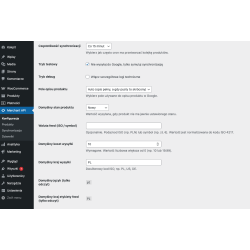
Synchronization settings and controls are available directly from the WooCommerce administration panel.
The panel allows you to:
Each synchronization operation can be recorded in the system logs. The administrator can check the operation status, number of processed products and information about errors returned by Google.
Logs make it easier to identify a specific product or field causing a problem during data submission to Google.
The log history can be exported to CSV, while older entries can be automatically removed.
The module includes a test mode that allows you to verify the configuration without actually sending product data to Google.
Operations are simulated and recorded in the logs, allowing you to verify the configuration before starting production synchronization.
Advanced debug mode records detailed information about communication with the Google Merchant API, including request data, JSON structures and API responses.
This feature can be particularly useful when diagnosing configuration problems or synchronization issues related to specific products.
The module supports the appropriate authorization method for connecting your store with Google services. A Service Account allows the integration to be configured for automated background synchronization processes.
Using the API allows product data to be transferred directly between WooCommerce and Google Merchant Center without relying on a traditional XML file as the primary synchronization method.
The main advantages of this integration include:
Google Merchant API is particularly useful for WooCommerce stores that use Google Merchant Center and Google Shopping and need to regularly update their product catalog.
The solution is especially suitable for stores:
The module is supplied with the required libraries. After installation, you need to configure the connection with Google Merchant Center and the required authentication credentials.
Configuration includes creating a project in Google Cloud Console, enabling access to the Merchant API and connecting the module with your Google Merchant Center account.
The module also includes a connection test that allows you to verify the configuration before starting synchronization.
Authentication credentials are stored in the WooCommerce database. Batch synchronization and queue mechanisms help control the number of operations performed simultaneously and make it easier to process larger product catalogs.
Yes. The module allows WooCommerce to be integrated with Google Merchant Center using the Google Merchant API.
Yes. Variations can be synchronized as properly grouped Google products with their own SKU, price, availability and image.
Yes. Filters allow you to limit synchronization by category, manufacturer, price, stock availability and product status.
Yes. The module supports both regular WooCommerce prices and sale prices.
Yes. Automatic synchronization can be configured using a Cron job.
The module uses Google Merchant API as the direct method of submitting product data to Google Merchant Center, so synchronization does not need to rely on a traditional XML feed.
Yes. The module includes a logging system that records synchronization operations and errors returned during communication with Google.

You might also like
Google Merchant API module for WooCommerce. Automatic product synchronization with Google Shopping, inventory management, cron job, administration panel for managing all synchronization parameters. API users must switch to Merchant API.