

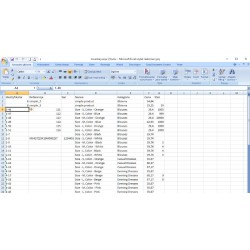
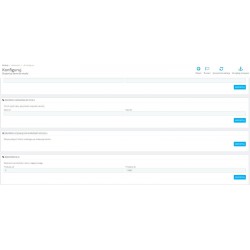
A module that allows you to easily export orders, customers, and pending goods to Excel from PrestaShop in the latest xlsx format. You can export all data or select a date range for export. The module handles Polish characters perfectly and saves them correctly in MS Office format (no gibberish instead of Polish characters). In addition, the module allows you to export inventory broken down by product attributes for inventory purposes.
Read more navigate_next
121.14 tax excl.

Full compatibility with PS 9.x
 Updates
Updates for 2 years from the date of purchase.
 Payments
Blik, Cards, PayPal, Transfer to the account. Implemented by: Imoje, FirstData, PayPal.
 Demo
Demo
Test before buying. Write to us for a temporary license for the module. Required Ioncube.
The data export module for PrestaShop allows you to quickly prepare lists of customers, orders, products and stock levels without the need to manually copy data from the administration panel. The generated files can be used for sales analysis, accounting, customer service, inventory or further work in Excel.
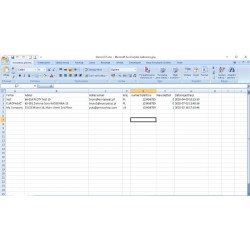
Export customer data saved in the store, such as name, surname, e-mail address and address details. The module also allows you to select additional information, including company name, delivery address or customer registration date.
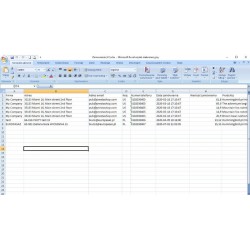
Prepare an order list containing full customer data, information about the ordered products and the total value of the order. The data can be used to analyze sales, report or further processing in spreadsheets.
The module also allows linear export of order items along with customer information. The list may include, among others, products, the values of individual items, the sum of the order and the selected delivery method.
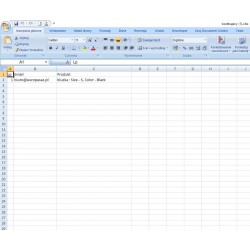
Export customers subscribed to the newsletter using the mailalerts module. A useful option is the possibility of preparing a list containing information about the consent to the newsletter, for example for further work with the mailing system or a tool such as Klaviyo.
The module allows you to prepare a list of stock levels of products, taking into account their attributes and combinations. This allows you to quickly get the data you need for inventory, inventory control or listing update.
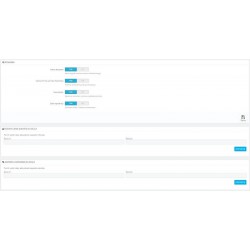
Export can be adapted to the specific needs of the store. The available options allow you to choose, among other things:
The module uses the generation and download of files directly from the browser. Thanks to this, exported customer data is not additionally saved on the server as ready-made files. The SQL queries used allow you to efficiently process large data sets.
The generated lists can be used for further analysis and processing of data in spreadsheets. The module will work well both in the daily work of the store and in the preparation of sales reports, customer lists and inventory data.
If the standard lists do not correspond to the specifics of your store, the module can be extended with additional reports, fields or functionalities. It is also possible to prepare individual lists tailored to a specific business process.
The module can be further expanded with the function of importing and updating product data from an Excel file. This allows you to quickly update, among other things, net prices, unit prices and stock levels without the need to manually edit products in the PrestaShop panel.
The PrestaShop data export module is designed for store owners, administrators, sales departments and people responsible for reporting and warehouse management. It will work particularly well in stores with a large customer base, orders and products, where manual preparation of lists is time-consuming.

You might also like
A module that allows you to easily export orders, customers, and pending goods to Excel from PrestaShop in the latest xlsx format. You can export all data or select a date range for export. The module handles Polish characters perfectly and saves them correctly in MS Office format (no gibberish instead of Polish characters). In addition, the module allows you to export inventory broken down by product attributes for inventory purposes.