




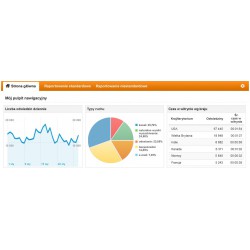
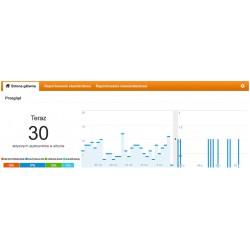
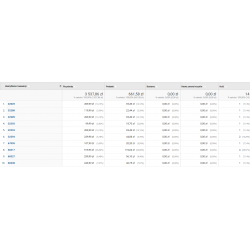
A module that allows you to connect our website to Google Analytics. This gives us access to advanced Google statistics. Log in to the system and go to http://www.google.com/analytics/. Register on the website. Go to the modules tab, find the "Google Analytics" module, and paste the ID you received. The module allows you to transfer all orders, including those from Transferuj, PayPal, Payu, First Data, Przelewy24, Imoje, and Mbank payment gateways, which was previously impossible. In addition, the event can be triggered at any time and on any page. The event is also sent when the customer returns from the gateway to the store immediately after the page is displayed. The latest version adds support for GA4 (for stores in versions 1.7-8.0 and the latest ps_googleanalitycs module).
Read more navigate_next
161.79 tax excl.

Full compatibility with PS 9.x
 Updates
Updates for 2 years from the date of purchase.
 Payments
Blik, Cards, PayPal, Transfer to the account. Implemented by: Imoje, FirstData, PayPal.
 Demo
Demo
Test before buying. Write to us for a temporary license for the module. Required Ioncube.
Social media is spreading and maturing at a revolutionary pace. Do you include it in your measurements? Social reports help you determine the impact of social media on your business goals and conversions. Consolidated data on the internet and social networks provides a comprehensive view of your content and community.
With so many marketing channels and programs, understanding their impact on your goals allows you to make informed decisions about your social media strategy.
Google Analytics reports on traffic sources allow you to measure and analyze traffic from various sources, such as searches or referrals. The Social Interaction Sources report automatically segments and groups traffic from referring sites from hundreds of social networks so you can focus on your analysis.
After standard installation, the module requires a minor modification of the payment gateway modules. The module sends data from any payment gateway, from any operator, even after a session has been "broken," which was previously impossible.
The module requires the free "Google Analytics" module from PrestaShop to work properly. The event sent is "purchase" in accordance with GTM and GA4. We recommend testing the module using the Chrome plugin - Google Analytics Debugger
Data sent to Google:
'id': 'shopping cart number',
'affiliation': 'store name',
'revenue': '33.71',
'tax': '6.31',
'shipping': '0',
'city': 'Paris',
'state': '',
'country': 'Poland',
'currency': 'PLN'
});
ga('ecommerce:addItem', {
'id': '75',
'sku': '4',
'name': 'Printed Dress',
'category': 'Evening Dresses',
'price': '33.71',
'quantity': '1'
});
Integration example for Przelewy 24:
Return after payment:
/modules/przelewy24/views/templates/front/payment_successful.tpl
For version P.S 1.7, insert between the {block} tags.
Before leaving the store
/modules/przelewy24/views/templates/front/payment_confirmation.tpl
Check the tpl file call in any payment gateway based on Przelewy24:
/modules/przelewy24/controllers/ - directory
paymentSuccessful.php - file
$this->setTemplate('module:przelewy24/views/templates/front/payment_successful.tpl'); - tpl file

A module that allows you to connect our website to Google Analytics. This gives us access to advanced Google statistics. Log in to the system and go to http://www.google.com/analytics/. Register on the website. Go to the modules tab, find the "Google Analytics" module, and paste the ID you received. The module allows you to transfer all orders, including those from Transferuj, PayPal, Payu, First Data, Przelewy24, Imoje, and Mbank payment gateways, which was previously impossible. In addition, the event can be triggered at any time and on any page. The event is also sent when the customer returns from the gateway to the store immediately after the page is displayed. The latest version adds support for GA4 (for stores in versions 1.7-8.0 and the latest ps_googleanalitycs module).