


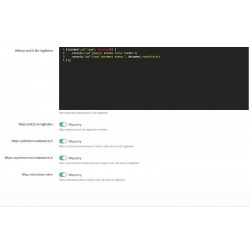
A module designed for quickly inserting CSS and JavaScript code from the store's backend. Useful when FTP access is not available. Ideal for adding GTM code or other marketing codes. Syntax checking makes working with the module very easy. Additional options allow you to add async and defer instructions with a single click.
Read more navigate_next
80.49 tax excl.

Full compatibility with PS 9.x
 Updates
Updates for 2 years from the date of purchase.
 Payments
Blik, Cards, PayPal, Transfer to the account. Implemented by: Imoje, FirstData, PayPal.
 Demo
Demo
Test before buying. Write to us for a temporary license for the module. Required Ioncube.
EuroCSS is a PrestaShop module that allows you to add your own CSS and JavaScript code directly from the admin panel. You don't have to use FTP every time or manually edit the theme files to make your own changes to the look or operation of the store.
The module will work both for minor improvements to the appearance of the store and when implementing your own JavaScript scripts. You can edit the code from the PrestaShop panel and enable or disable individual functions without interfering with system files.
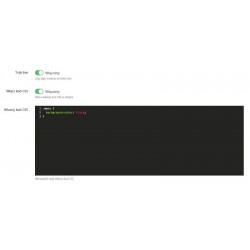
Add your own CSS styles directly from the administration panel. EuroCSS allows you to quickly change the appearance of store items without having to modify theme files.
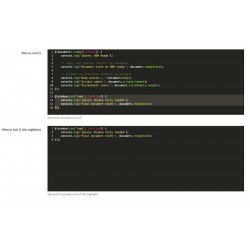
front.css,The module allows you to add your own JavaScript code in different parts of the page. This allows you to expand the functionality of the store without having to manually edit the theme files.
body,One of the main advantages of EuroCSS is the ability to manage your own code directly from back office PrestaShop. You don't need to download theme files, edit them locally, and resubmit them to the server.
This is especially convenient for frequent corrections to the appearance of the store, testing changes and working on your own solutions for PrestaShop.
EuroCSS uses CodeMirror, so that CSS and JavaScript are edited in a convenient editor with syntax highlighting.
Not every script has to be loaded the same way. EuroCSS allows you to specify how to load your own JavaScript scripts, so you can better match their operation to the needs of the store.
The module is designed so that it is possible to manage your own code directly from the PrestaShop configuration. Individual functions can be turned on and off using switches.
The module can be used both by store owners who need to make a small change in appearance, as well as by programmers and agencies developing PrestaShop stores.
EuroCSS is designed to work with PrestaShop and can also be used in environments using the Multi-shop function. The code is integrated with the store's website using standard PrestaShop mechanisms.
The module supports a wide range of PrestaShop versions, including older installations and newer versions of the platform. The automatic version detection mechanism allows you to adjust the way the module works to the PrestaShop version used.
EuroCSS requires PrestaShop installation with access to the administration panel. The module uses the platform's standard mechanisms and does not require manual editing of theme files to add your own CSS or JavaScript.
EuroCSS allows you to transfer the management of your own CSS and JavaScript code to the PrestaShop administration panel. Instead of interfering with theme files every time, you can edit the code in one place, control its activity, and customize the way scripts are loaded to suit the needs of the store.

You might also like
A module designed for quickly inserting CSS and JavaScript code from the store's backend. Useful when FTP access is not available. Ideal for adding GTM code or other marketing codes. Syntax checking makes working with the module very easy. Additional options allow you to add async and defer instructions with a single click.