

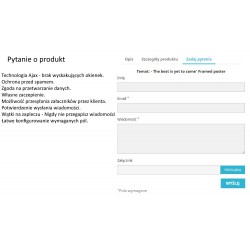
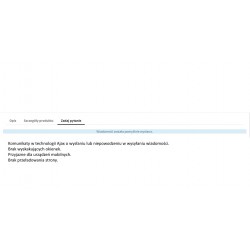
The Ask About Product module for PrestaShop 1.6 and 1.7 - 8.x is a modern Ajax form on the product card. It has a number of anti-spam features. Its particular advantage is that it saves messages to the store's database (messages are available in the customer service tab) and is fully compatible with mobile devices. The ability to set required fields easily adapts to any store profile. An advanced data control system allows you to use the module without the need for CAPTCHA security measures. Additionally, it allows customers to send attachments to store support. A custom hook also allows you to replace the default contact form.
Read more navigate_next
80.49 tax excl.

Full compatibility with PS 9.x
 Updates
Updates for 2 years from the date of purchase.
 Payments
Blik, Cards, PayPal, Transfer to the account. Implemented by: Imoje, FirstData, PayPal.
 Demo
Demo
Test before buying. Write to us for a temporary license for the module. Required Ioncube.
The module allows you to add a contact form directly to the product card, so that the customer can quickly send a question about a specific product without going to a separate contact page.
The form can be used for questions about availability, product parameters, completion date, variants, pricing or order details. The message goes to the store by e-mail and is saved in the PrestaShop database.
Placing the form on the product card shortens the path between the customer and the store staff. The customer does not need to copy the product name or search for the contact form on the website - they can send a message where their question appeared.
The module allows you to adjust the display location of the form to the layout of the store and the PrestaShop theme used.
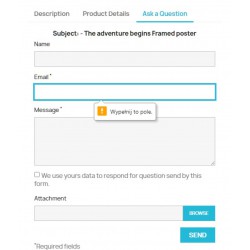
The module controls the data entered by the customer when filling out the form. Validation allows you to detect incorrect values and makes it easier for the customer to correct them before sending a message.
Additional security limits the ability to send messages by direct references to the form file, which helps protect the store from automatic spam.
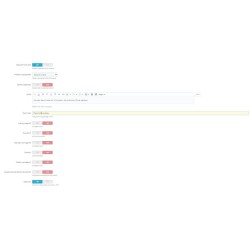
The administrator can decide what data the customer should provide when sending a message. The module allows you to specify, among other things, whether name and phone number are required.
Thanks to this, the form can be adjusted to the way requests are handled in a specific store.
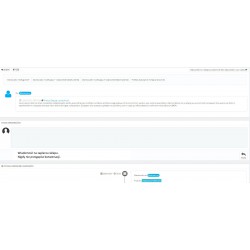
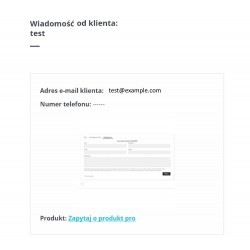
The message sent is not only available in the e-mail box. The content of the message is also saved in the store's database and remains available in the standard Customer Service section of the PrestaShop administration panel.
Thanks to this, messages can be handled from the store panel, without having to search for previous correspondence only in e-mail.
The module also supports attachments sent with the message. The feature may be useful in stores where the customer should be able to submit additional inquiry materials.

You might also like
The Ask About Product module for PrestaShop 1.6 and 1.7 - 8.x is a modern Ajax form on the product card. It has a number of anti-spam features. Its particular advantage is that it saves messages to the store's database (messages are available in the customer service tab) and is fully compatible with mobile devices. The ability to set required fields easily adapts to any store profile. An advanced data control system allows you to use the module without the need for CAPTCHA security measures. Additionally, it allows customers to send attachments to store support. A custom hook also allows you to replace the default contact form.