



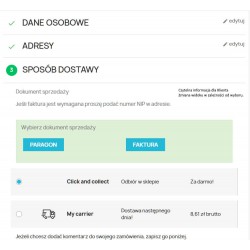
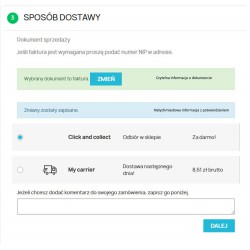
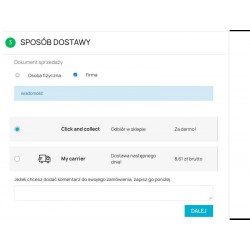
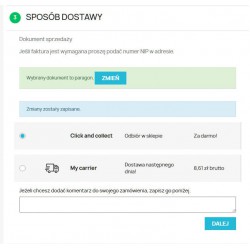
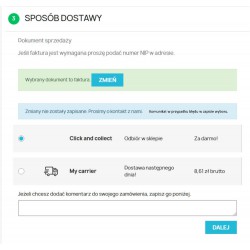
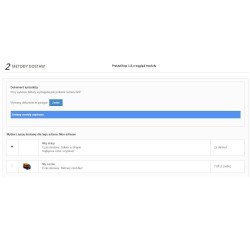
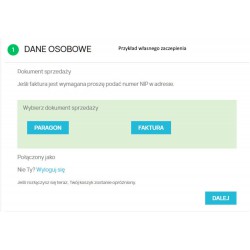
Extended version of the receipt invoice module with the functions of downloading customer data from the Central Statistical Office in the order process. The module clearly presents the possibility for the customer of the store to choose a sales document. The default document can be defined in the module configuration. The module for the entire shopping session remembers the Customer's choice. The document change is saved using Ajax technology, which is characterized by the absence of pop-up windows. The module has the possibility of any attachment in the store template, allowing for cooperation with non-standard shopping baskets.
Read more navigate_next
161.79 tax excl.

Full compatibility with PS 9.x
 Updates
Updates for 2 years from the date of purchase.
 Payments
Blik, Cards, PayPal, Transfer to the account. Implemented by: Imoje, FirstData, PayPal.
 Demo
Demo
Test before buying. Write to us for a temporary license for the module. Required Ioncube.
How to automatically complete company data after NIP number in PrestaShop?
The GUS module for PrestaShop allows the customer to download company data based on the NIP number and automatically fill in the address form when placing an order.
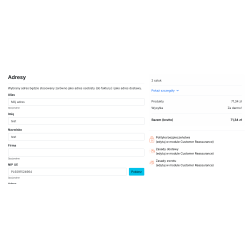
After entering the NIP number, the customer chooses the option to download the data. The module checks the correctness of the NIP number, sends a request to the GUS API, and then completes the available company data in the order form.
The customer enters the NIP number when placing an order and selects the "Download" button. The module first performs the built-in validation of the NIP number, and then downloads the company data from the GUS database via API.
The downloaded information is automatically entered into the appropriate fields of the address form. Thanks to this, the customer does not have to manually rewrite the company name and address data.
Manually rewriting company data when placing an order increases the risk of mistakes in the company name or address. Integration with the Central Statistical Office allows the customer to download available data based on one NIP number and use it directly in the order form.
The data download button can be added without the need to modify the store template.
Before sending a request to the GUS API, the module checks the correctness of the entered NIP number. This allows you to limit the sending of incorrect requests and inform the customer about the incorrectly entered number faster.
In the event of a problem, the customer receives a clear error message, so that he can correct the data without having to leave the purchase process.
The downloaded information is used directly in the customer's address form. The module has been designed to streamline the ordering process without having to rebuild the entire checkout.
It is also possible to use your own hook, thanks to which the data download button can be placed in a selected place of the non-standard purchasing process.
The module allows you to match the way the data retrieval function is presented to the appearance and operation of the store.
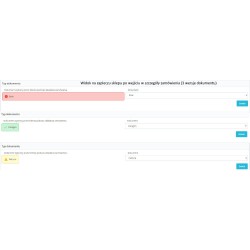
The module can provide additional information about the customer's choice for the order, making it easier for the person handling the order to check how the customer provided the data.
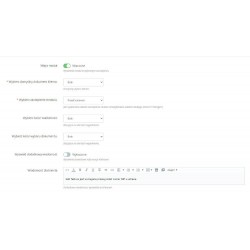
The administrator can also change the type of document in the back office, for example, after contacting the customer and determining the correct way to settle the order.
The module uses the GUS API to retrieve the entity's data based on the NIP number. Using the GUS API and obtaining an access key is free of charge.
To use the integration, you need to obtain access data to the GUS API.
Information about GUS API and access registration
The module will work especially well in online stores that support sales for companies and want to make it easier for customers to provide invoice data when placing an order.
It is especially useful for stores that:
The module supports Bootstrap 5 and has the ability to switch the way of presenting integration elements. By using its own attachment, it can also work with custom checkout solutions, depending on their design.
Yes. The customer enters the NIP number, and then can download the company data from the GUS API. The available data is then used to complete the address form.
The module takes, among other things, the company name, address, city and postal code.
No. After entering the NIP number, the customer can use the "Download" button, and the data available in the GUS API will be used to automatically complete the form.
Yes. Before sending a request to the GUS API, the NIP number is validated.
Using the GUS API and obtaining an access key is free of charge.
The standard addition of a data download button does not require modification of the store template. The module also offers the possibility of using your own hook in the case of a non-standard checkout.
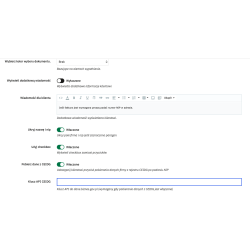
Yes. The module allows you to hide the "Company name" and "NIP" fields if the "receipt" option is selected.

You might also like
Extended version of the receipt invoice module with the functions of downloading customer data from the Central Statistical Office in the order process. The module clearly presents the possibility for the customer of the store to choose a sales document. The default document can be defined in the module configuration. The module for the entire shopping session remembers the Customer's choice. The document change is saved using Ajax technology, which is characterized by the absence of pop-up windows. The module has the possibility of any attachment in the store template, allowing for cooperation with non-standard shopping baskets.