


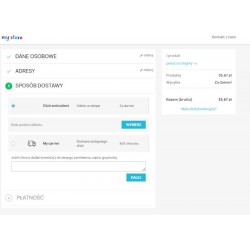
The GLS shipping module for PrestaShop allows you to easily send parcels from the order window in PrestaShop. The module is designed to quickly add items to storage or send parcels. You can also generate parcel labels from the order level. The module has been adapted for PrestaShop versions 1.6 - 9.x.
The price is a one-time fee, which makes this module the cheapest solution for integrating your store with GLS.
The module includes all the necessary features for fast and efficient shipment.
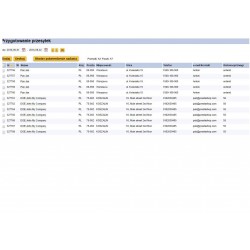
The latest version supports maps of collection points according to the specification available from 1.X.2024, "szybkapaczka" v. 4.0. The selection of a point is available both from the store level and from the order level in the back office. Downloading maps from GLS servers ensures fast service and the most up-to-date information about points. Data about the selection of a point is transferred to Ade Plus Gls when the parcel is sent. Available from the order level, TrackID allows you to quickly check the status of parcels.
Read more navigate_next
57.62 tax excl.

Full compatibility with PS 9.x
 Updates
Updates for 2 years from the date of purchase.
 Payments
Blik, Cards, PayPal, Transfer to the account. Implemented by: Imoje, FirstData, PayPal.
 Demo
Demo
Test before buying. Write to us for a temporary license for the module. Required Ioncube.
How to integrate GLS shipping with PrestaShop?
The GLS module for PrestaShop allows you to handle shipments directly from the order level in the store's administration panel. The recipient's data is automatically taken from the order, and you can check and correct it before sending the shipment.
After preparing the shipment, you can send it and generate a shipping label without having to manually rewrite customer data into the carrier's system.
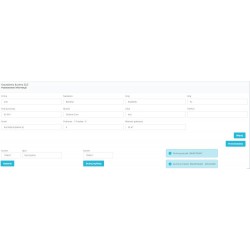
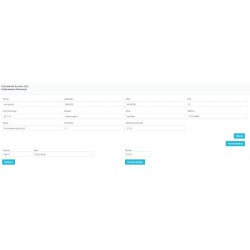
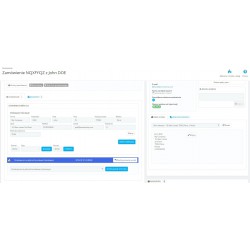
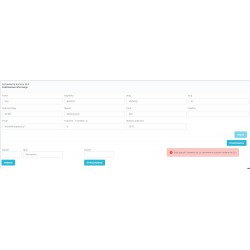
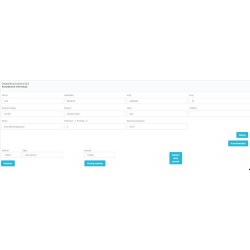
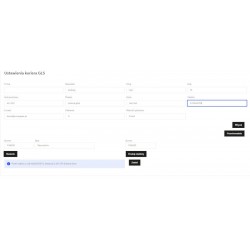
A shipment form is available in each order. The module retrieves customer data and delivery address, and the administrator can verify or change them before creating a shipment.
Information about the sent package is then available directly when ordering in the PrestaShop administration panel.
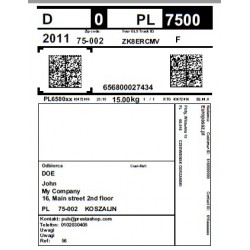
After sending the shipment, you can generate and print the shipping label directly from the order level.
The module allows you to choose the label format for your printing method, including thermal printers and Zebra printers.
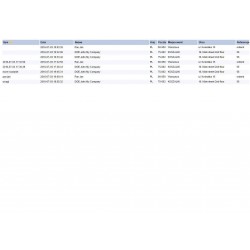
Tracking number and TrackID are saved when ordering in PrestaShop. Thanks to this, the administrator can quickly find the parcel number and check the information about the shipment.
The order number can also be used as a shipment reference, which makes it easier to identify the package during order handling.
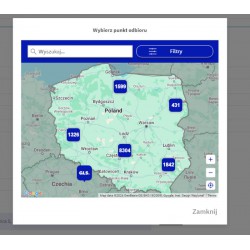
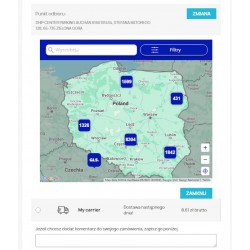
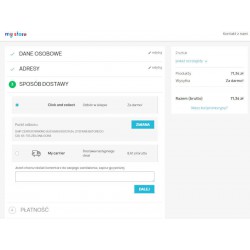
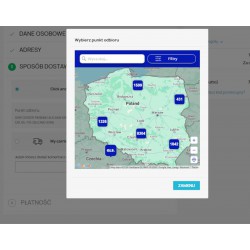
The module supports the selection of collection points and the map of points available in the ordering process.
The customer can choose the appropriate collection point, and the selected location is remembered during the purchase session. Thanks to this, after returning to the basket, the customer does not have to re-select the previously indicated point.
Support for point maps is available from version 6.0 of the module. The module uses a new point map introduced as part of the integration from 01.10.2024.
The module also supports selected additional GLS services, so that the method of preparing the shipment can be adjusted to the type of order.
The module can automatically set the appropriate order status for cash on delivery. This allows you to better match the order service process to the payment method chosen by the customer.
When preparing the shipment, you can specify from which address the recipient's data should be downloaded - from the delivery address or from the invoice address.
Thanks to this, the administrator has control over the data transmitted to the GLS granting form.
The most important information about the shipment is available directly in the PrestaShop order. The administrator does not have to go between different systems to prepare the data needed to send the package.
The form allows you to prepare the shipment, check the recipient's data, determine the number of packages and select additional GLS services.
GLS integration will work well in online stores that ship orders via GLS and want to reduce manual data rewriting between PrestaShop and the shipment service system.
The module is especially useful for stores that:
The point map can be placed in the selected place of the purchase process. There are various ways to display it, including a pop-up window and placing a map before or behind the list of delivery methods.
It is also possible to use your own hook in the store template if the standard map location does not match the page layout used.
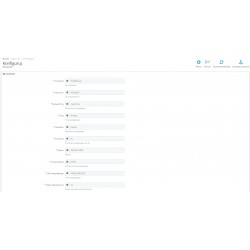
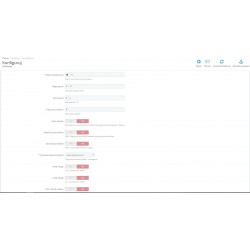
The most important integration settings are available in the module configuration tab. The administrator can adjust the way of preparing shipments, the source of the recipient's address, the format of labels and available GLS services to the needs of his store.
When using point maps, it is recommended to use files imported directly from the server, which allows you to maintain continuity and compatibility of the integration versions.
The module is designed to integrate GLS shipments with PrestaShop stores. According to the specifications of the module, it supports different versions of PrestaShop and can work with different basket systems depending on the integration used.
Before installation, check the requirements of the specific module version and the theme and checkout system used.
Yes. The module provides the sending form directly when ordering in the PrestaShop administration panel.
Yes. After sending the shipment, you can generate a shipping label and print it, among other things, as a PDF or on a supported thermal printer.
Yes. The module allows you to specify the number of packages in the shipment in the range from 1 to 8.
Yes. The module supports the point map and the selection of the collection point when placing an order.
Yes. The customer's choice can be remembered throughout the shopping session, so that when you return to the basket, the previously selected point can be displayed again.
Yes. The numbers of the assigned parcels and TrackID information are available from the order level in the PrestaShop administration panel.
Yes. The module has support for cash on delivery and the ability to automatically set the order status.
Yes. The controller can specify whether the address data is to be collected from the delivery address or from the invoice address.

You might also like
The GLS shipping module for PrestaShop allows you to easily send parcels from the order window in PrestaShop. The module is designed to quickly add items to storage or send parcels. You can also generate parcel labels from the order level. The module has been adapted for PrestaShop versions 1.6 - 9.x.
The price is a one-time fee, which makes this module the cheapest solution for integrating your store with GLS.
The module includes all the necessary features for fast and efficient shipment.
The latest version supports maps of collection points according to the specification available from 1.X.2024, "szybkapaczka" v. 4.0. The selection of a point is available both from the store level and from the order level in the back office. Downloading maps from GLS servers ensures fast service and the most up-to-date information about points. Data about the selection of a point is transferred to Ade Plus Gls when the parcel is sent. Available from the order level, TrackID allows you to quickly check the status of parcels.